
Your team, each with their own login.
Add cashiers, managers and accountants in a minute. Each person signs in as themselves, sees only what their role allows, and everything they do is on record.
See it in action
In action
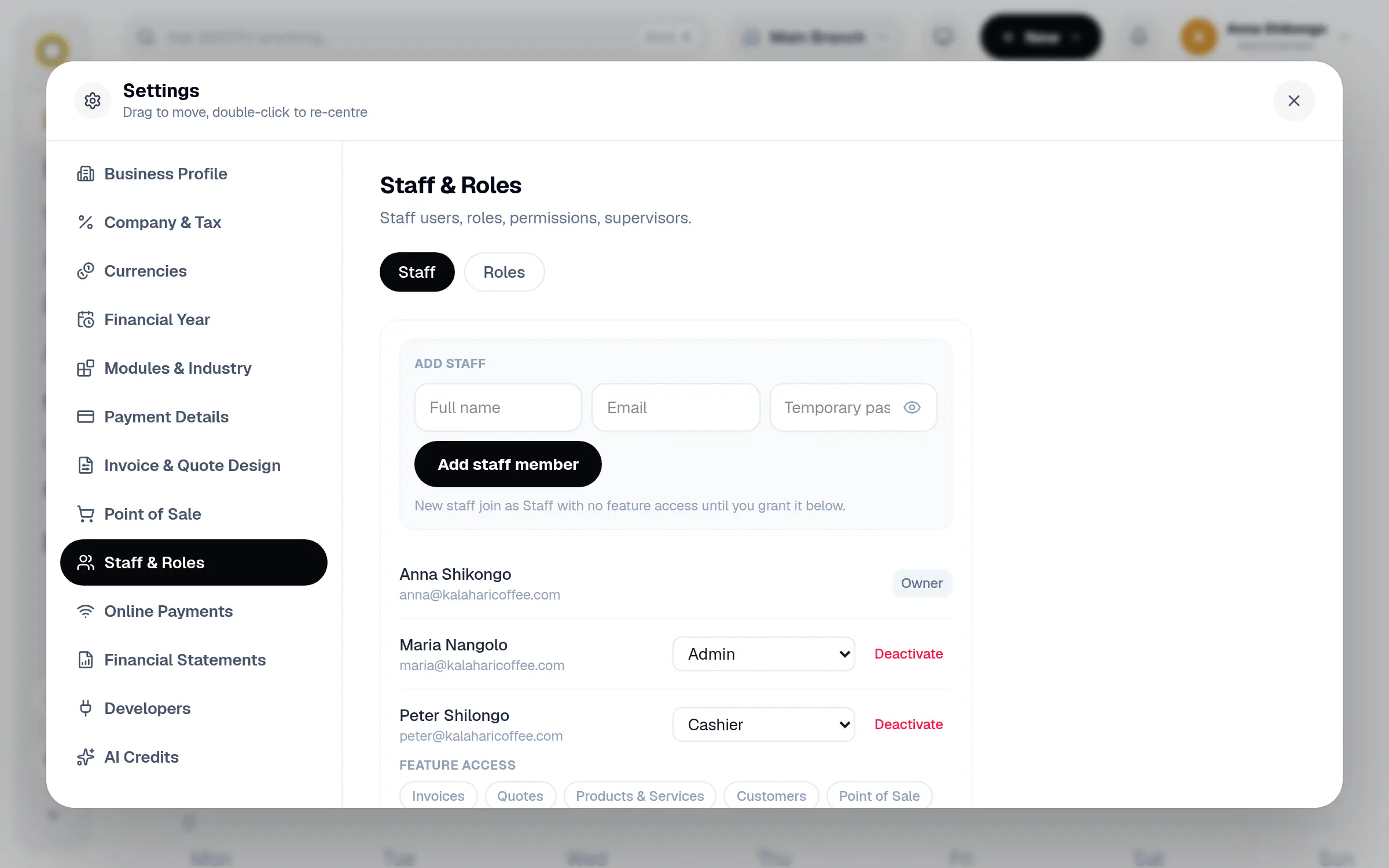
Add someone, then set their role
Fill in a name and email, add them, then choose their role and which sections they can open.
In the app
Roles for how your business works
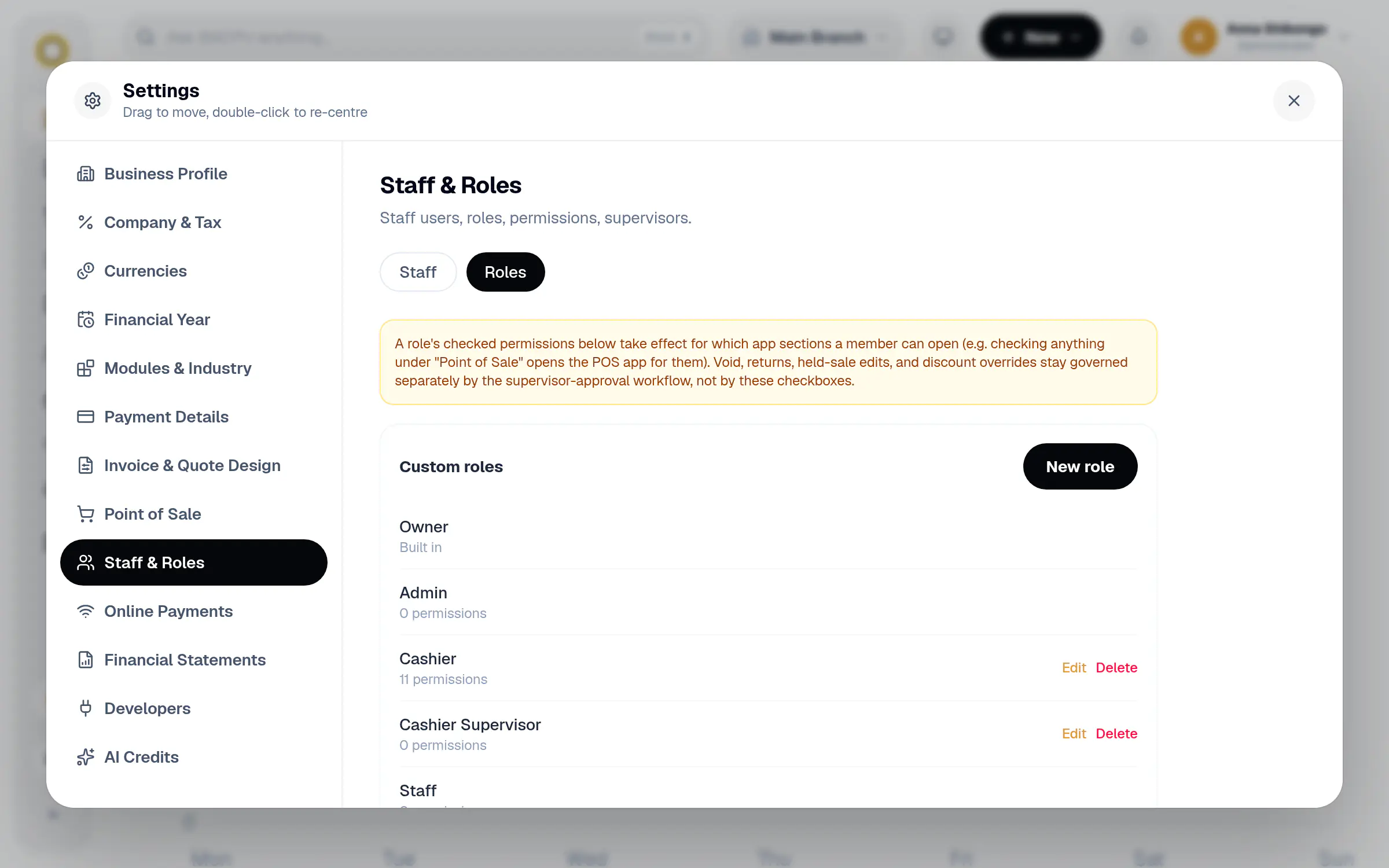
Keep the built in roles or create your own. A Cashier can sell and make invoices without opening your expenses or settings.
Share the work, keep control.
No more one shared password. You decide who can sell, who can invoice and who can see the money.
Add staff in seconds
Type a name, email and starting password. New staff start with no access until you give it.
Roles you define
Owner, Admin and Staff come built in. Make your own roles like Cashier or Bookkeeper and tick what each may do.
Access by section
Turn on Invoices, Quotes, Point of Sale, Customers, Products, Expenses and more, person by person.
Supervisors approve
Voids, returns, held sale edits and discount overrides go through a supervisor, not just anyone at the till.
Know who did what
Every invoice and sale shows who created and changed it in the activity log.
Switch off in one click
When someone leaves, deactivate their login. Their history stays, their access does not.
How it works
A few steps in BillCPU, on the web or in the app.
- 1
Open Settings, Staff & Roles
Add a team member with their name and email.
- 2
Give them a role
Pick a built in role or one you made, like Cashier.
- 3
Fine tune access
Switch on just the sections they need, and set their supervisor.
- 4
They sign in
On the web or the BillCPU app, with their own email and password.
Questions
Can a cashier open everything?
No. A cashier only opens the sections you switch on for them, such as Point of Sale and Invoices.
Is there a limit on staff?
The number of staff logins depends on your plan. See the pricing page for details.
Can staff use the mobile app?
Yes. Staff sign in to the app with their own login and see the same sections as on the web.
What happens to a deactivated user's work?
Everything they created stays, with their name on it. They just cannot sign in any more.
Works well with
Bring your team in.
Start your free trial and add your first staff member today.