
Send a link. Get paid online.
Every invoice and quote has its own page. Share the link by email, WhatsApp or SMS, and your customer can read it, download the PDF and pay without logging in to anything.
See it in action
In action
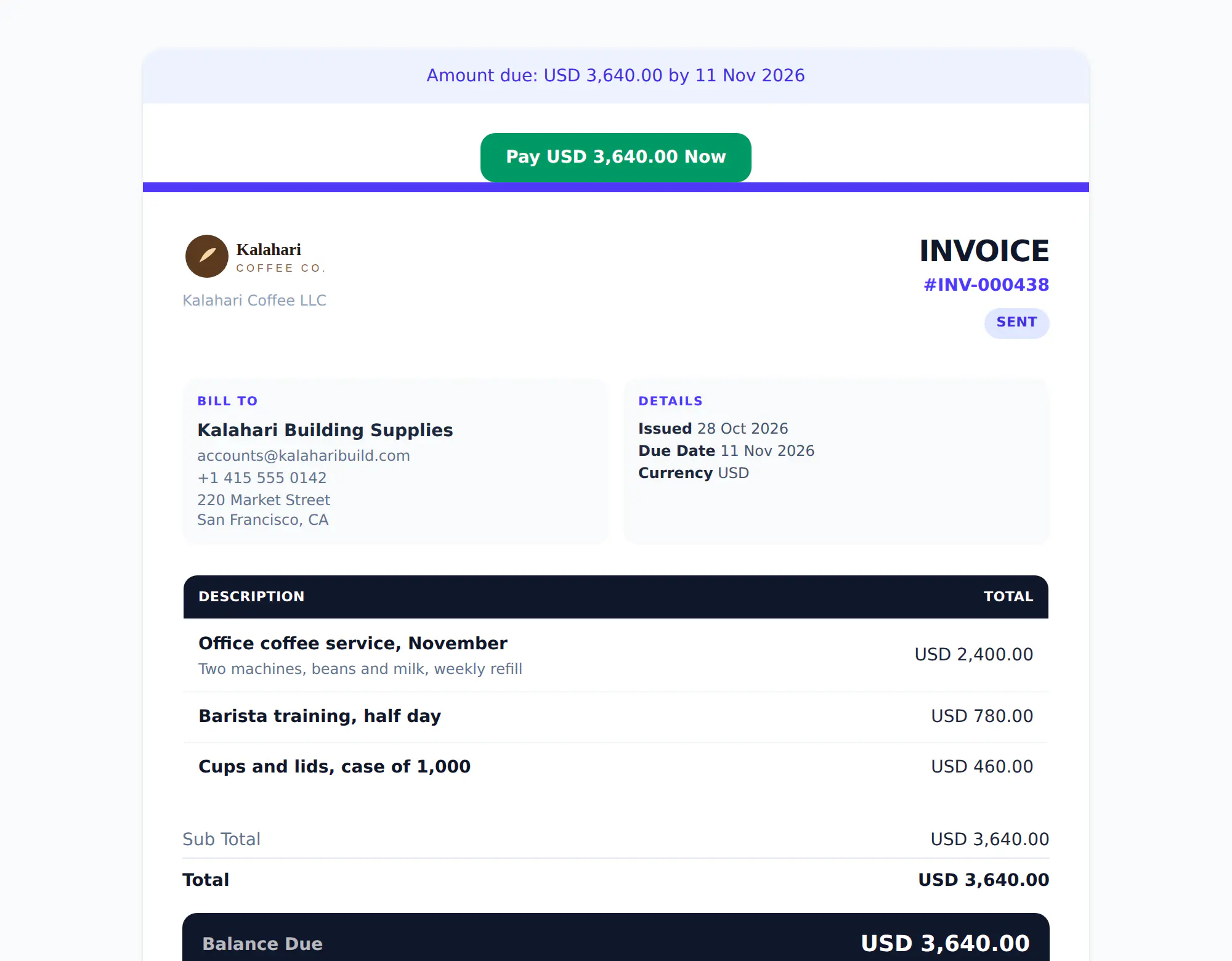
What your customer sees
The amount due and the Pay Now button come first, then the full invoice, your payment details and a QR code.
In the app
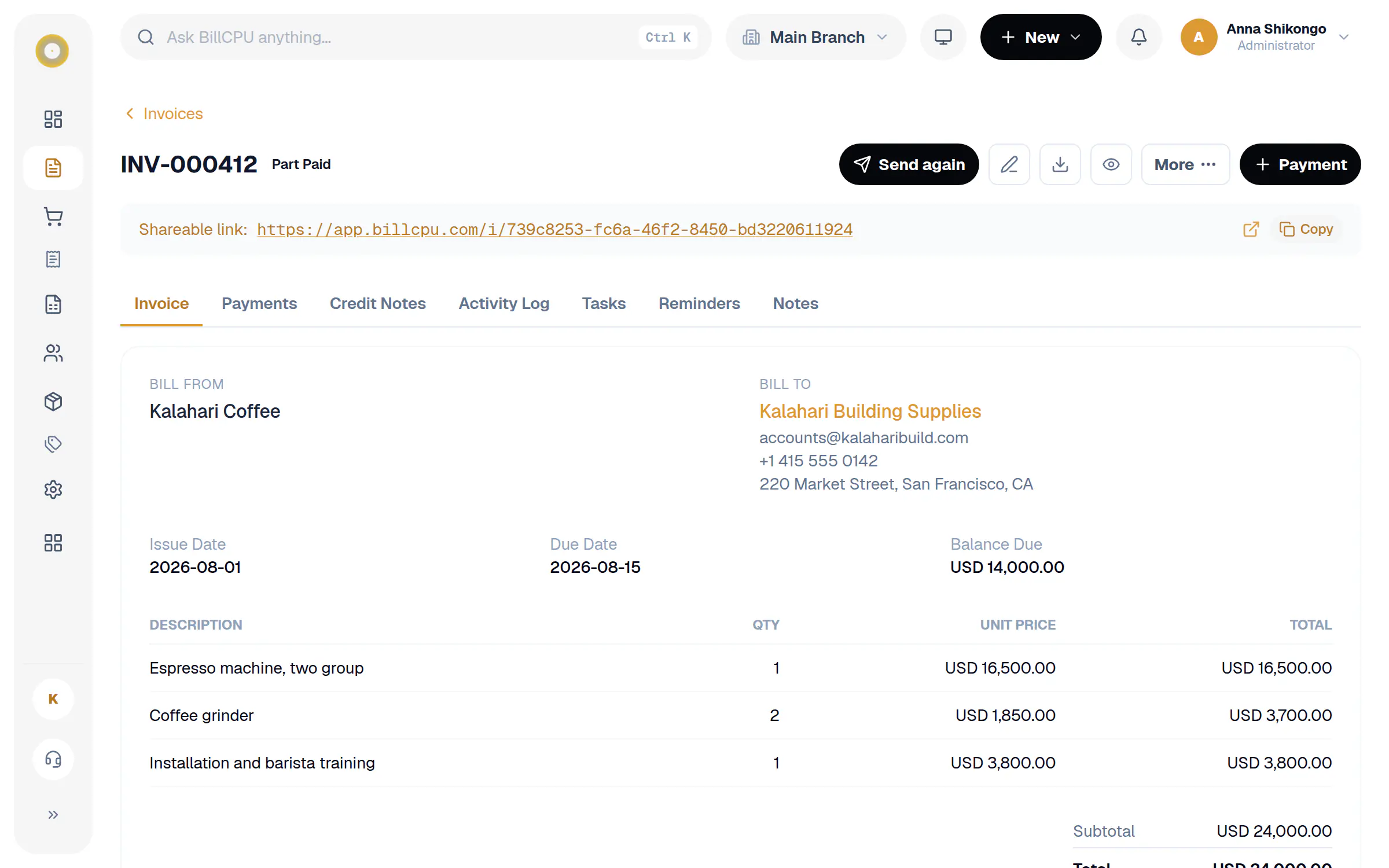
Copy the link from any invoice
The shareable link sits at the top of every invoice. Copy it in one tap and send it however you like.
Less chasing, faster money.
The easier it is to pay, the sooner you are paid. The invoice link puts the amount due and a pay button right at the top.
A link for every invoice
Copy it from the invoice and paste it anywhere. It opens on phones, tablets and computers.
Pay Now button
With online payments switched on, customers see the amount due and pay in a secure checkout on the same page.
Recorded for you
When the payment goes through, BillCPU records it on the invoice and updates the balance. No typing it in.
QR code on the PDF
Printed and PDF invoices carry a QR code that opens the same page, ready to pay.
See when it is opened
The invoice moves to Viewed the first time your customer opens the link, so you know it arrived.
PDF on demand
Customers download the PDF in A4, Letter and more, straight from the link.
How it works
A few steps in BillCPU, on the web or in the app.
- 1
Switch on online payments
Connect your Payclio account under Settings, Online Payments.
- 2
Send the invoice
Email it, or copy the shareable link from the invoice and send it however your customer likes.
- 3
Customer pays
They tap Pay Now, pay in the secure checkout and get confirmation on screen.
- 4
Balance updates
The payment appears on the invoice and in your reports, and the invoice is marked part paid or paid.
Questions
Does my customer need an account?
No. The link opens the invoice directly. There is nothing to sign up for.
What if I do not take online payments?
The link still works. It shows the invoice, the PDF and your bank details, just without the Pay Now button.
Do quotes have links too?
Yes. A quote link lets your customer accept and sign, or decline, right on the page.
Is the link private?
Each link uses a long random address that cannot be guessed. Only people you share it with can open it.
Works well with
Make paying you the easy part.
Start your free trial and send your first invoice link today.