
Invoices that get paid.
Make an invoice in under a minute, send it by email or link, and see the moment your customer opens it. Payments, reminders and the PDF all live on the same page.
See it in action
In action
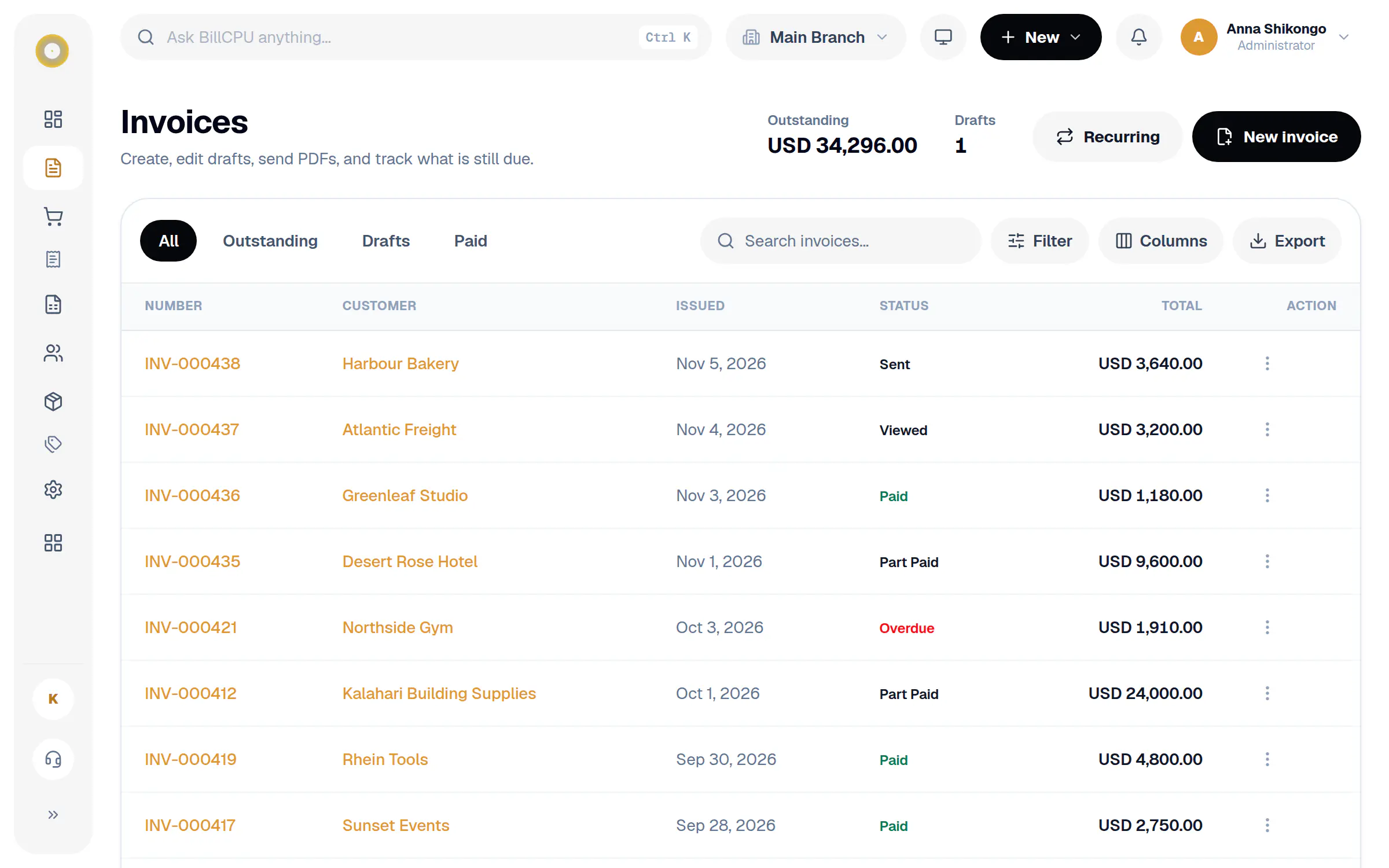
Make an invoice as you type
Pick a saved customer and their details fill in. Add lines from your products or type them, and the totals update as you go.
In action
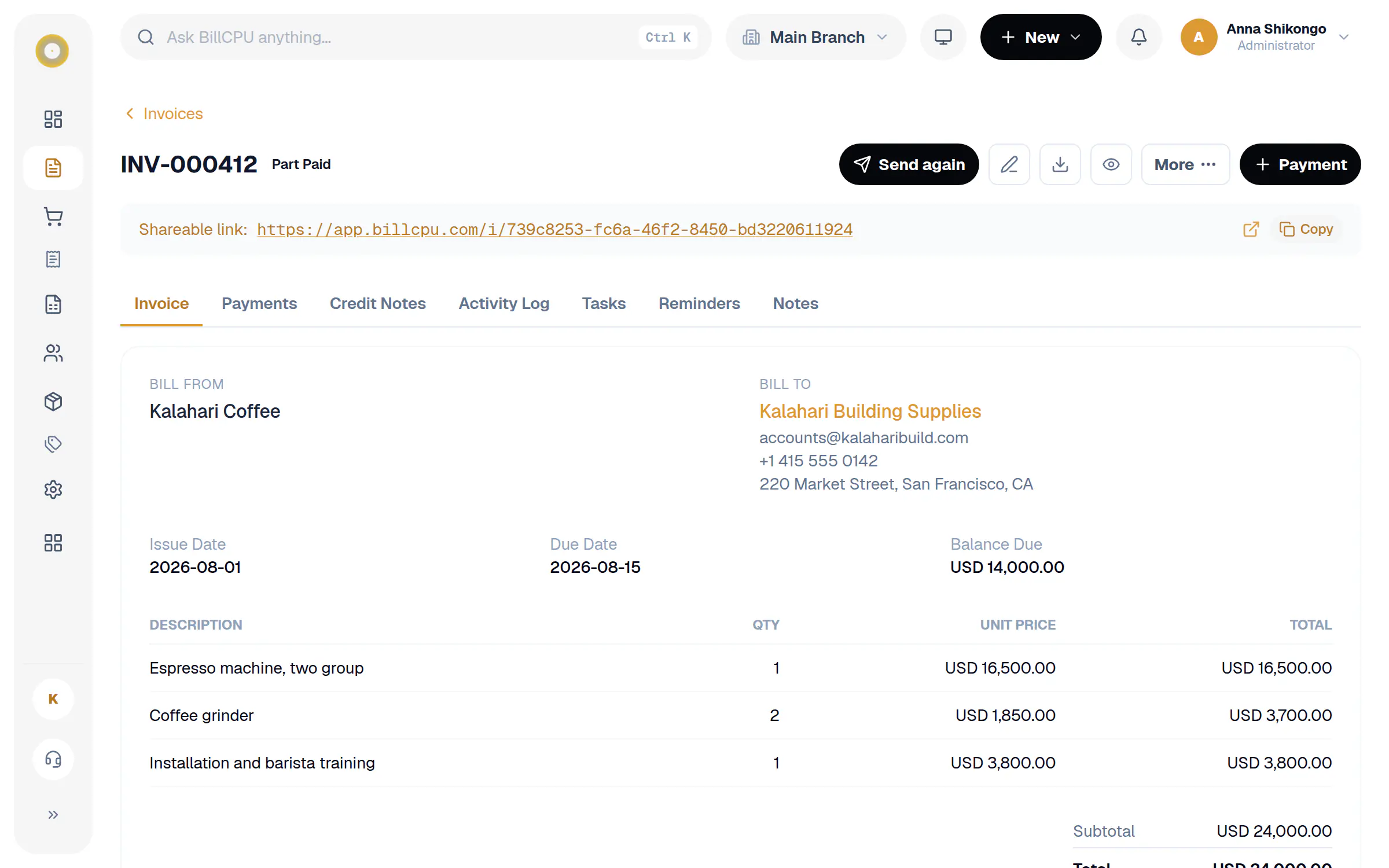
Payments and reminders on every invoice
See each payment with its receipt, and every reminder that went out, sent automatically or by your team.
In the app
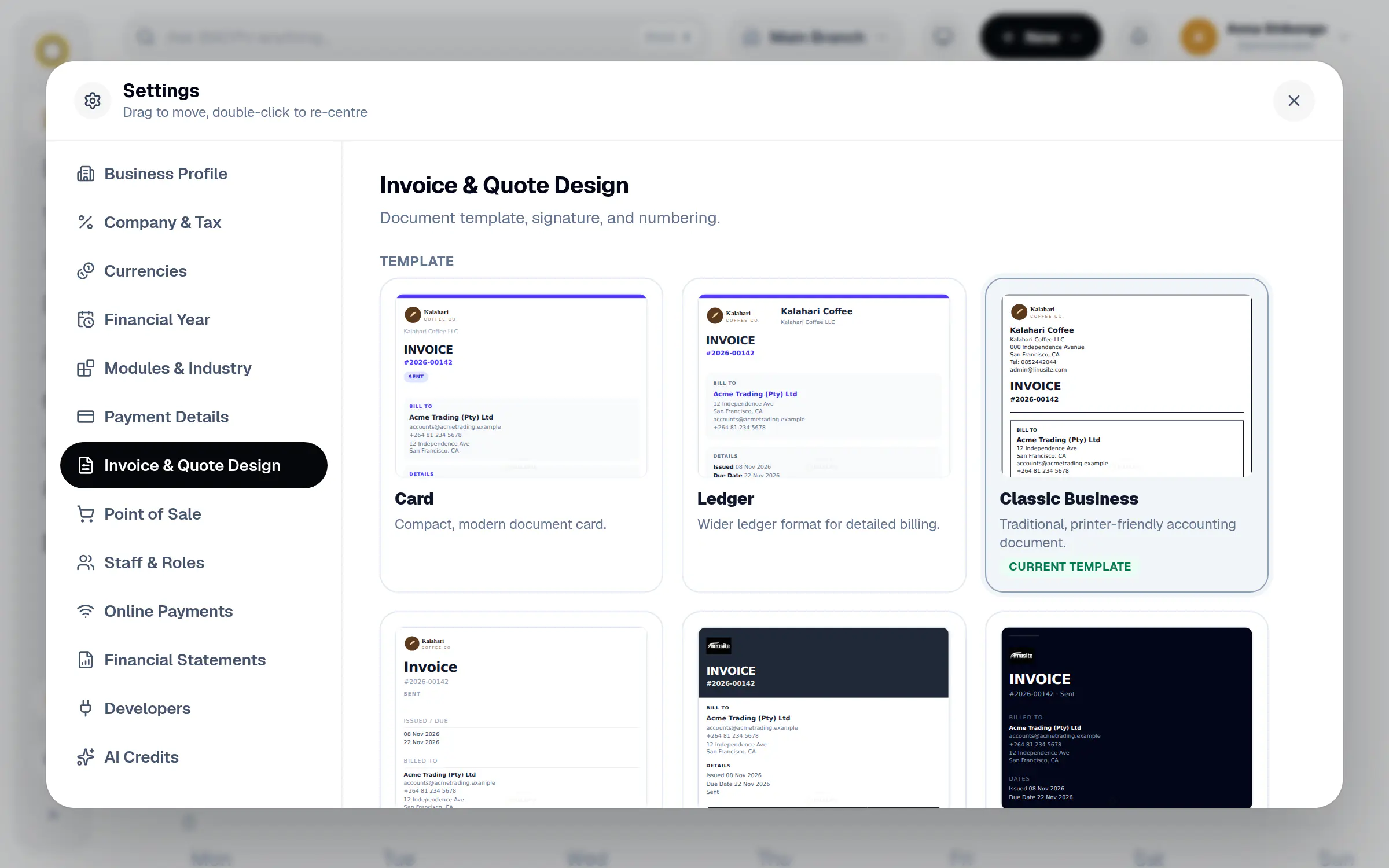
Templates that match your brand
Card, Ledger, Classic Business, Modern Minimal, Corporate Accent, Executive Dark and more. Your logo and colours carry into every one.
Everything about an invoice, on one page.
No hunting through emails or spreadsheets. Open the invoice and you see what was billed, what was paid and what happens next.
Quick to make
Pick a customer, add items from your product list or type them in, and BillCPU adds up tax, discounts and totals.
A link for every invoice
Each invoice has its own page your customer can open on any phone, with a PDF download and a QR code.
Know where it stands
Draft, sent, viewed, part paid, paid or overdue. The status changes on its own as things happen.
Reminders that send themselves
Once an invoice is overdue, BillCPU emails a polite reminder, then again every week until it is paid. You can also send one yourself.
Your look
Choose from ready made templates, add your logo, colours and signature, and every PDF matches.
Notes, files and tasks
Attach files, leave notes for your team and see a full activity log on every invoice.
How it works
A few steps in BillCPU, on the web or in the app.
- 1
Create the invoice
Choose the customer and add what you sold. Nothing is saved until you press Save.
- 2
Send it
Email it with the PDF attached, or copy the link and share it on WhatsApp or SMS.
- 3
Get paid
Customers pay online or by bank transfer. Record a full or part payment in one step.
- 4
Let reminders follow up
If it goes overdue, BillCPU reminds the customer for you and shows every reminder sent.
Questions
Can I change an invoice after sending it?
Yes. Sent and even paid invoices can be edited, and every change is kept in the activity log.
Can customers pay online?
Yes, when online payments are switched on. The invoice page shows a Pay Now button and the QR code opens the same page.
Do I need to send reminders myself?
No. Once an invoice is overdue a reminder goes out automatically, then once a week until it is paid. You can also send one yourself at any time.
Can I invoice from my phone?
Yes. The BillCPU app creates, sends and records payments on invoices, even with a weak signal.
Send your first invoice today.
Start your free trial and send a real invoice in a few minutes.