
Big invoices, paid in parts.
Agree a deposit and a monthly amount with your customer. BillCPU sends each part as its own sub-invoice, on time, and keeps the full amount on one invoice in your books.
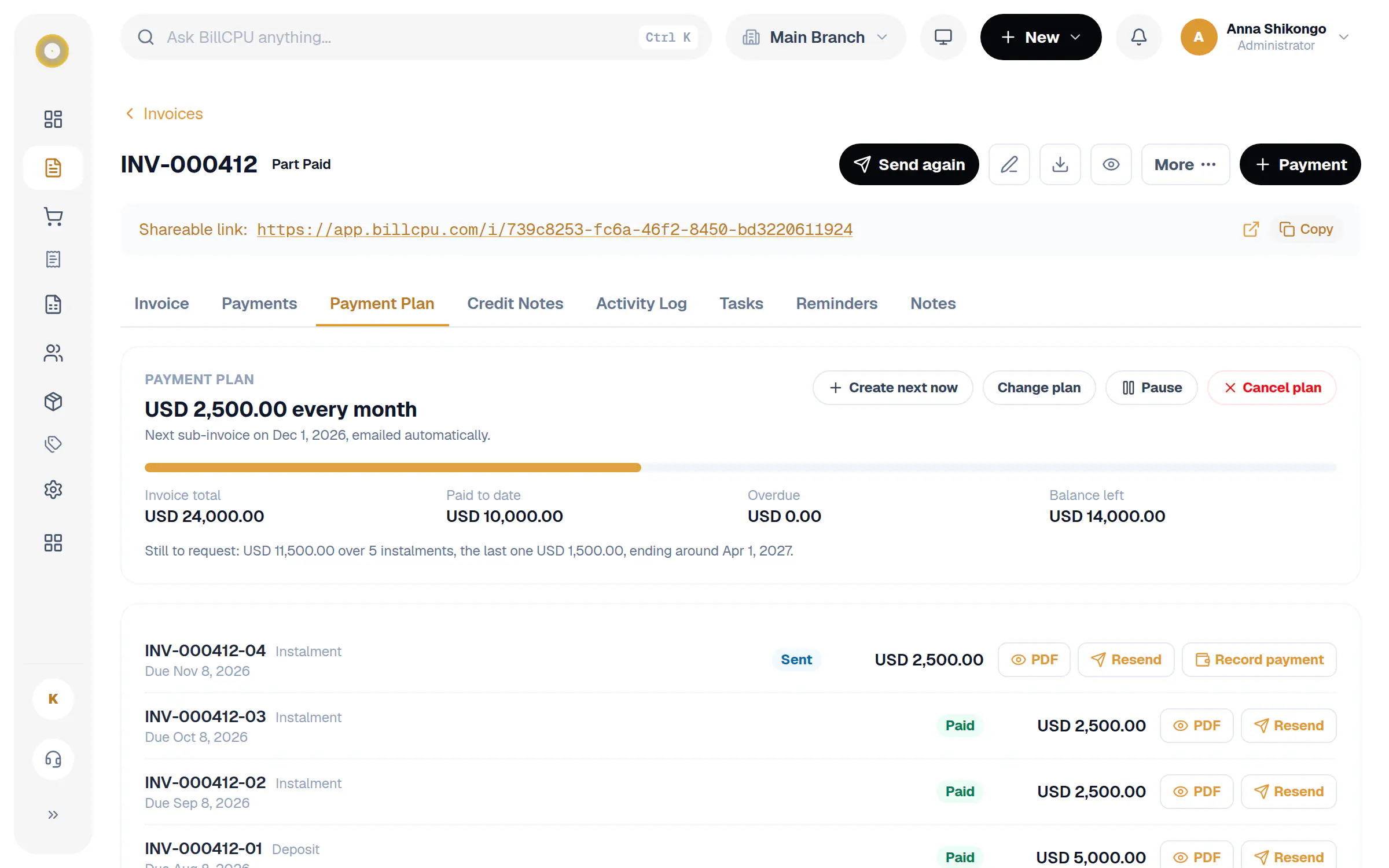
INV-000412 · Payment plan
USD 2,500.00 every month
Invoice total
USD 24,000.00
Paid so far
USD 10,000.00
Paid off around
April 2027
INV-000412-01
Deposit, due 8 Aug
USD 5,000.00
Paid
INV-000412-02
Due 8 Sep
USD 2,500.00
Paid
INV-000412-03
Due 8 Oct
USD 2,500.00
Paid
INV-000412-04
Due 8 Nov
USD 2,500.00
Sent
Say yes to the bigger job.
Customers who can't pay everything at once can still buy from you. You stay in control of the schedule and always know what is left.
Deposit first
Ask for a deposit up front. Anything already paid on the invoice counts towards it.
Weekly, monthly or quarterly
Pick the amount and how often. BillCPU works out how many parts it takes and when the last one lands.
A sub-invoice for every part
Each part goes out as its own numbered sub-invoice with a PDF, like INV-000412-03, so customers know exactly what to pay.
Sent for you, or by you
Email each part automatically on its date, or check it first and send it yourself.
One debt in your books
The full amount stays on the main invoice. Payments are matched to parts oldest first, so reports never count it twice.
Pause, resume or cancel
Plans change. Pause a plan, create the next part early, or cancel it. Invoices on a plan are not chased in full.
How it works
A few steps in BillCPU, on the web or in the app.
- 1
Open an invoice that has been sent
Choose Make Payment Plan from the More menu, or tap it on the invoice in the app.
- 2
Set the deposit and the instalment
BillCPU shows how many parts it takes and roughly when it will be paid off.
- 3
Let it run
Each part is created on its date and emailed if you chose that. Record payments on the main invoice as usual.
- 4
See progress at a glance
Paid, still owed, overdue and the expected end date are always on the Payment Plan tab.
Questions
Does a payment plan change my reports?
No. The invoice keeps the full amount, so revenue and receivables stay correct. Sub-invoices are requests for payment, not new sales.
What happens if the customer pays more than one part at once?
The extra is applied to the next parts automatically, and the plan shows them as paid.
Can I use it in the mobile app?
Yes. You can make a plan, send each part and open its PDF from the invoice screen in the app.
Which plans include payment plans?
Payment plans are part of invoicing on paid plans. See the pricing page for what each plan includes.
Works well with
Win the jobs customers can't pay at once.
Start your free trial and set up your first payment plan in a few minutes.