
Bill the world. Keep one set of books.
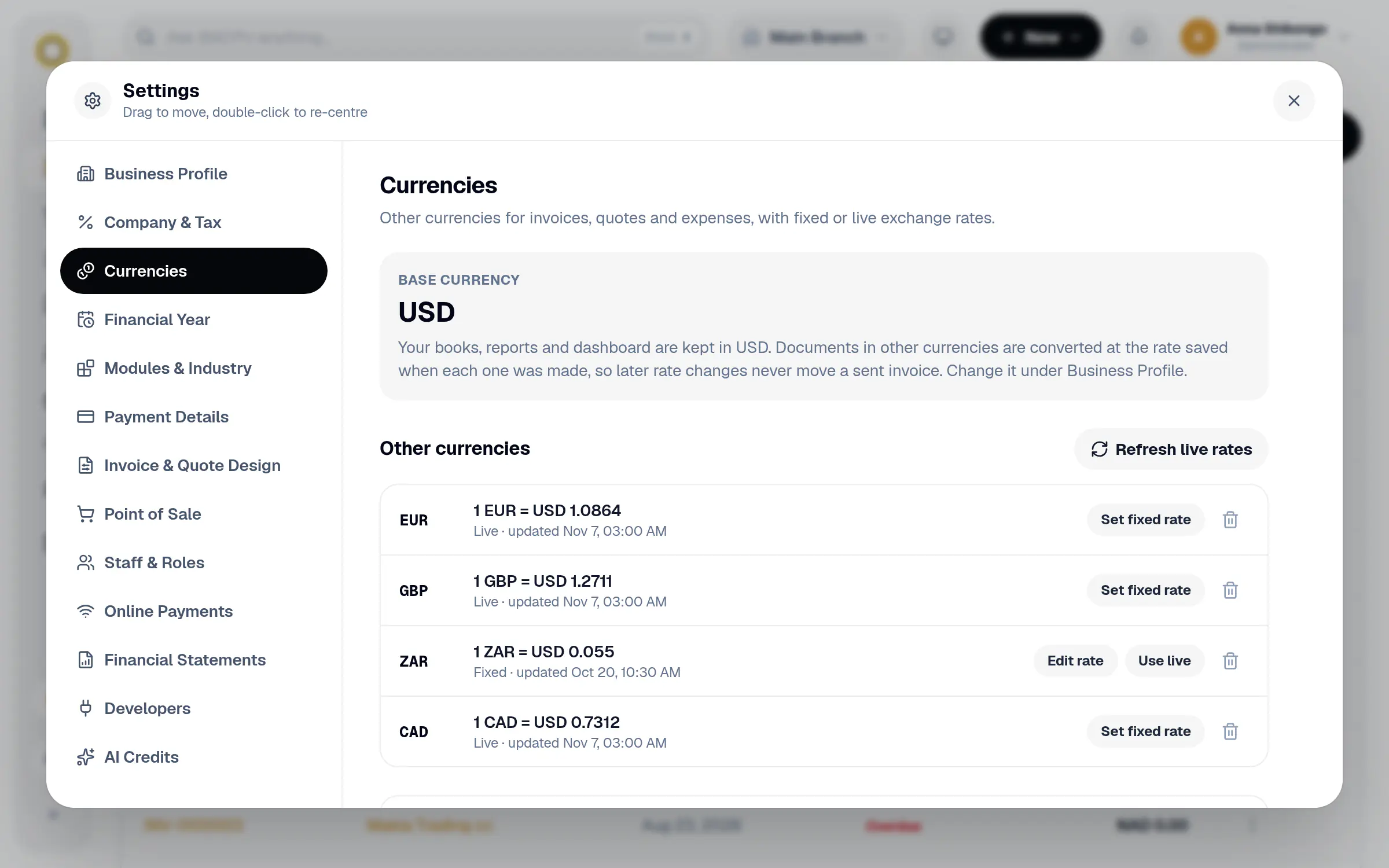
Send invoices and quotes in your customer's currency. BillCPU converts every amount into your own currency for reports, so the totals always make sense.
Your books are in USD
Invoices in your customer's currency
EUR
Live rate, updated daily
GBP
Fixed rate you set
INV-2026-0440 · Atlantic Freight
Billed in EUR
EUR 3,200.00
In your books USD 3,478.26
INV-2026-0441 · Rhein Tools
Billed in GBP
GBP 1,150.00
In your books USD 1,455.70
INV-2026-0442 · Local client
Billed in USD
USD 4,800.00
Paid
Foreign customers, local books.
Add the currencies you work in once, then pick one on any invoice, quote or expense.
Your customer's currency
Invoices, quotes, recurring invoices and expenses can each have their own currency.
Live rates
Let BillCPU update the exchange rate every night.
Or a fixed rate
Agreed a rate with a client? Set it yourself and it stays put.
Rate saved per document
Each invoice keeps the rate it was made with, so old totals never move.
Reports in your currency
Dashboard, revenue and receivables add everything up in your base currency.
In the app too
Pick the currency on invoices, quotes and expenses in the mobile app.
How it works
A few steps in BillCPU, on the web or in the app.
- 1
Add your currencies
In Settings, add each currency and choose a live or fixed rate.
- 2
Pick it on the document
Choose the currency when you make an invoice, quote or expense.
- 3
Read your reports as usual
Everything is converted into your own currency for you.
Questions
Which currency are my reports in?
Your base currency, the one you chose when you signed up.
Can I change an invoice's currency after a payment?
No. Once an invoice has payments its currency is locked, so the amounts stay correct.
Where do live rates come from?
A public exchange rate service, refreshed every night.
Works well with
Work with clients anywhere.
Start your free trial and send your first invoice in another currency.