
Quotes that turn into paid work.
Send a quote with a link the customer can accept and sign. BillCPU tells you when they open it, reminds them before it expires, and makes the invoice when they say yes.
QT-2026-0157 · Expires 14 Mar
USD 12,880.00
Office fit-out, phase one
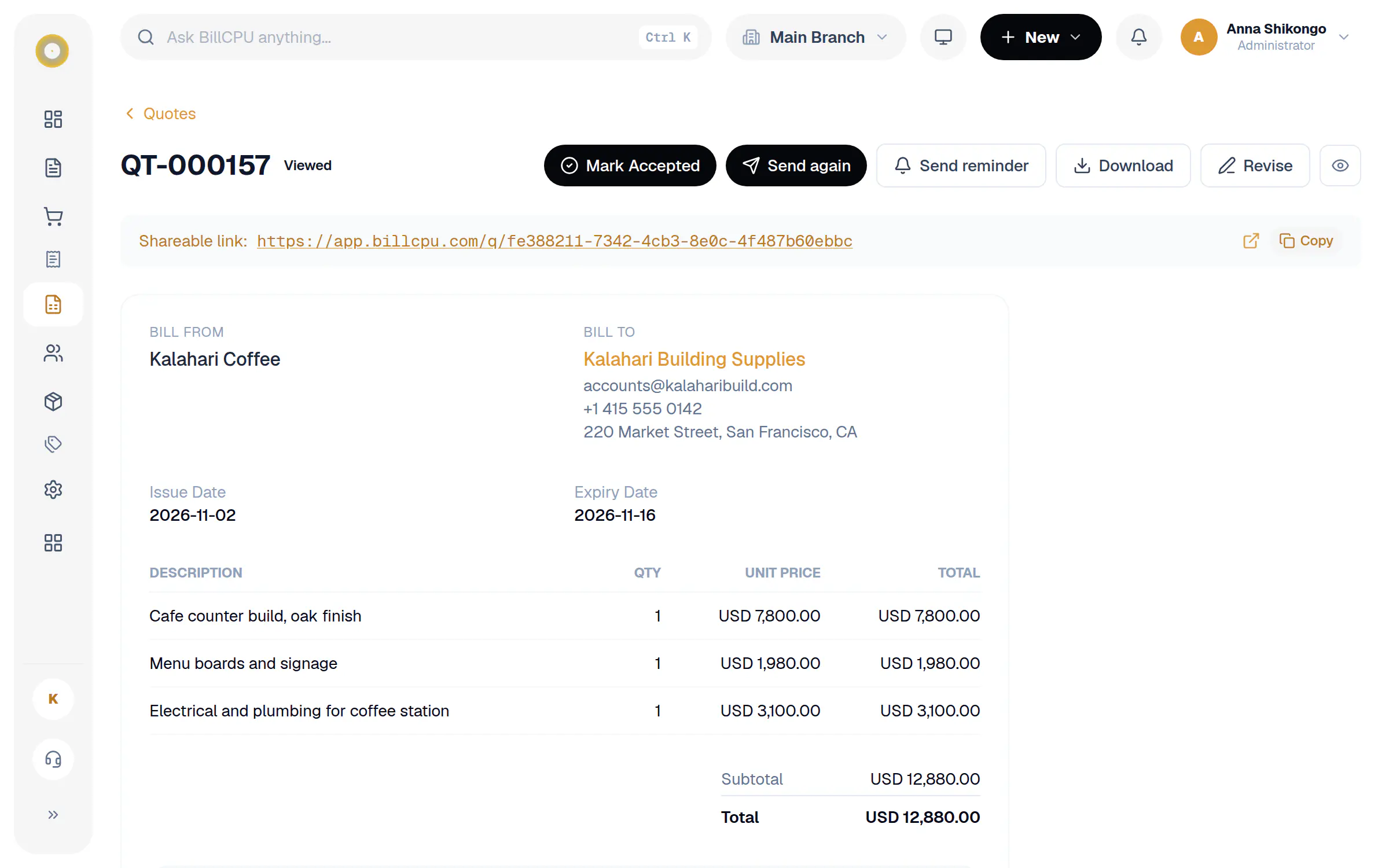
Sent 28 Feb · Viewed 1 Mar
Reminder sent automatically
To the customer, 3 days before expiry
11 Mar
Emailed
Customer accepted online
Signed on the quote link
12 Mar
Accepted
Converted to invoice
INV-2026-0433 created
12 Mar
Draft
See it in action
In action
Your customer signs online
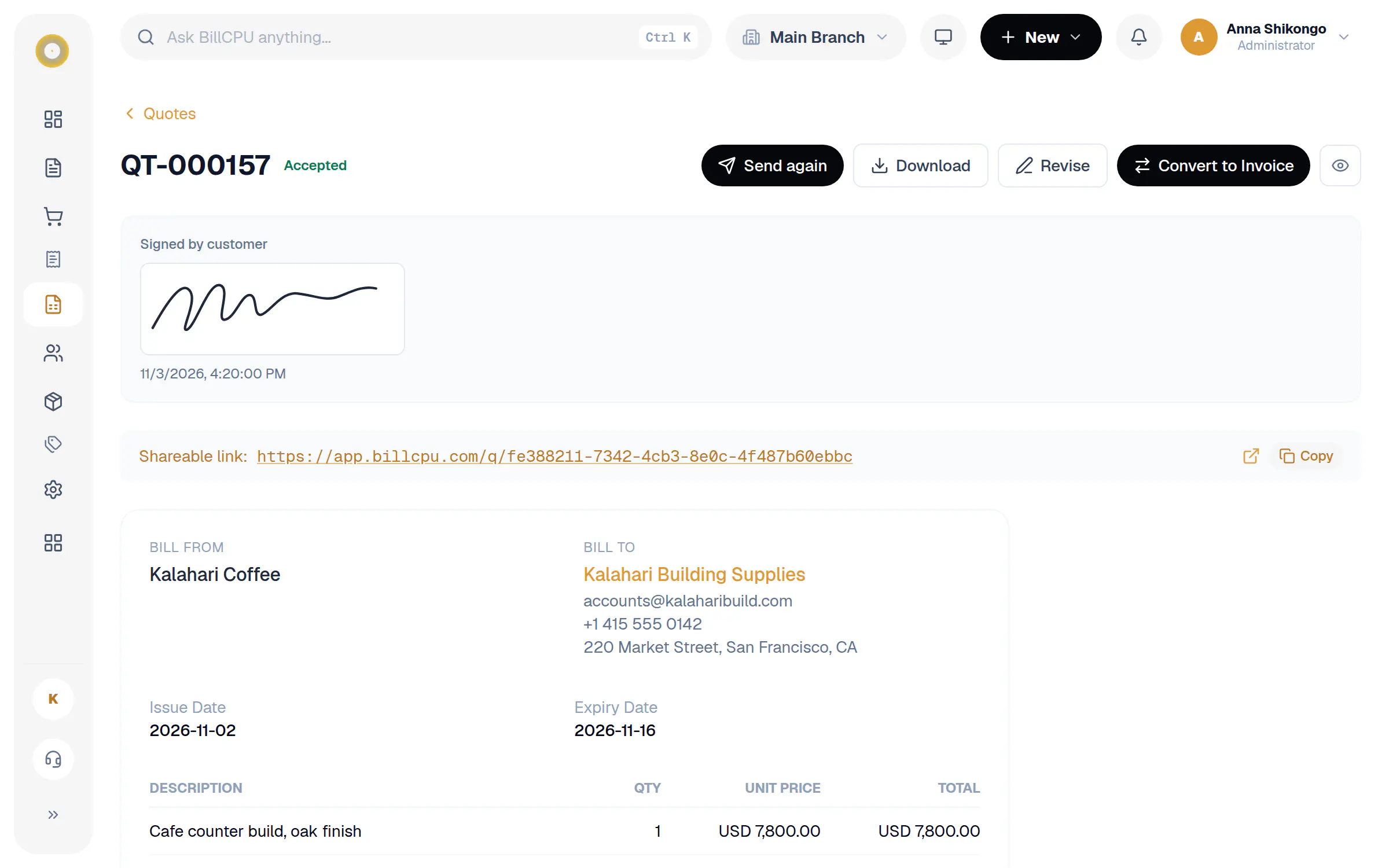
The quote link has a signature box. Your customer signs with a finger or mouse and taps Accept & Sign, or Decline.
In the app
Signed, then one tap to invoice
The signature and the time it was signed are kept on the quote. Press Convert to Invoice and every line carries over.
In the app
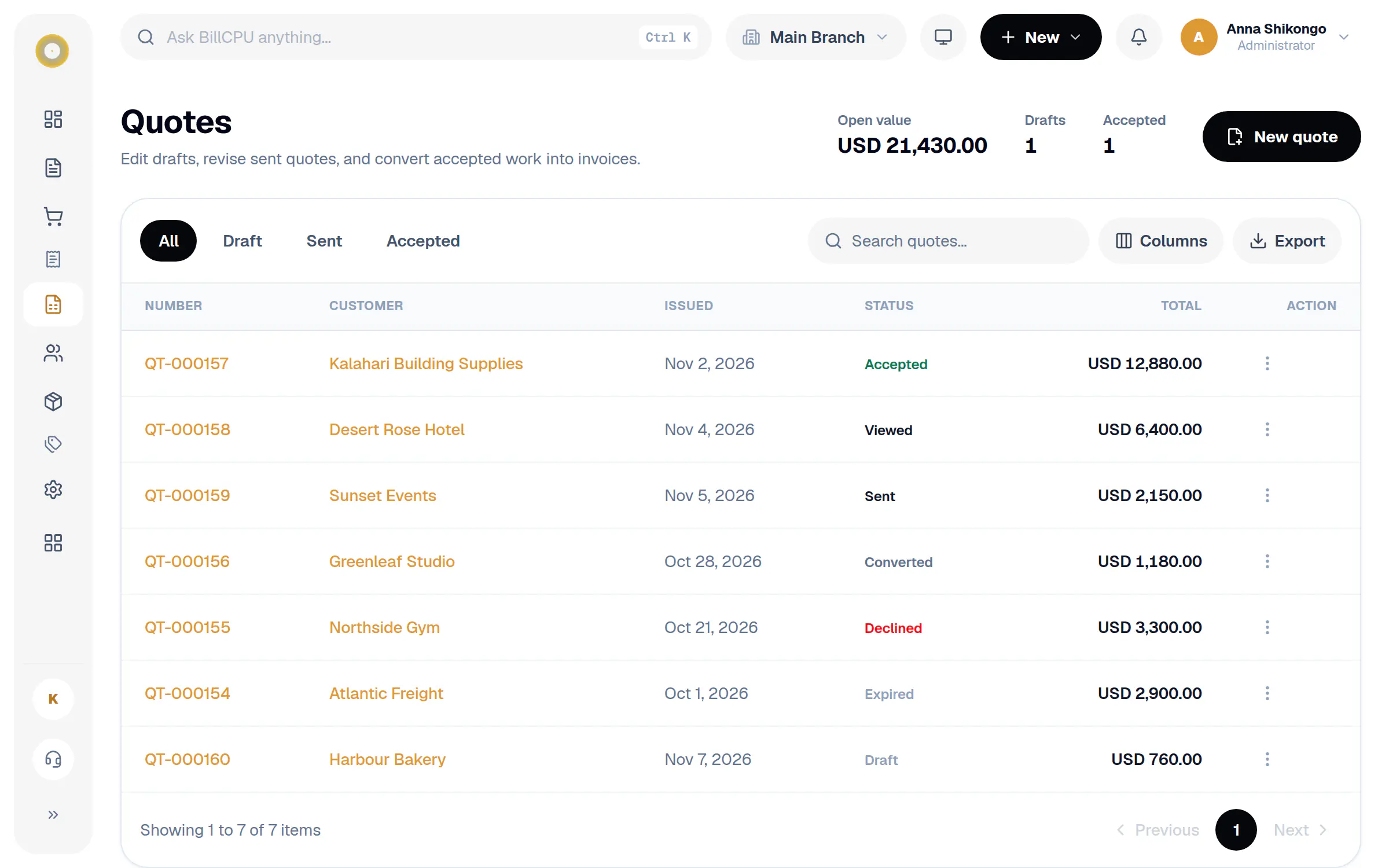
Every quote and where it stands
Draft, sent, viewed, accepted, declined, expired or converted. The open value of your quotes is always at the top.
Follow up without the awkward calls.
Most quotes are lost to silence, not to price. BillCPU keeps them moving for you.
Accept and sign online
Customers open the quote link, accept with a signature, or decline. No printing or scanning.
Know when it is opened
Get a notice on your phone and in the app when the customer views the quote. Link previews from WhatsApp or email don't count.
Reminders before expiry
Choose 1, 3, 7 or 14 days. BillCPU emails the customer a reminder and tells you, so no quote just runs out.
Expired quotes flagged
You are told when a quote expires. Revise it with a new date and send it again.
Mark accepted yourself
Customer said yes on the phone? Mark the quote accepted in one tap.
Convert to an invoice
Accepted quotes become invoices with every line, price and tax already filled in.
How it works
A few steps in BillCPU, on the web or in the app.
- 1
Build the quote
Add the customer, lines and an expiry date, on the web or in the app.
- 2
Send it
By email with a PDF and a link to accept online.
- 3
Let BillCPU follow up
You hear when it is viewed. The customer is reminded before it expires.
- 4
Convert and get paid
When it is accepted, turn it into an invoice and send it.
Questions
Can I switch quote reminders off?
Yes. In Settings choose Off, or choose how many days before expiry the reminder goes out, and whether the customer gets an email.
Can I send a reminder myself?
Yes. Open the quote and tap Send reminder while it is still waiting on the customer.
Does the customer need an account?
No. They open the link in the email and accept or decline right there.
Works well with
Close more of the quotes you send.
Start your free trial and send a quote your customer can accept online.